On iPhone and Android
A birthday reminder app that opens to your notes about them.
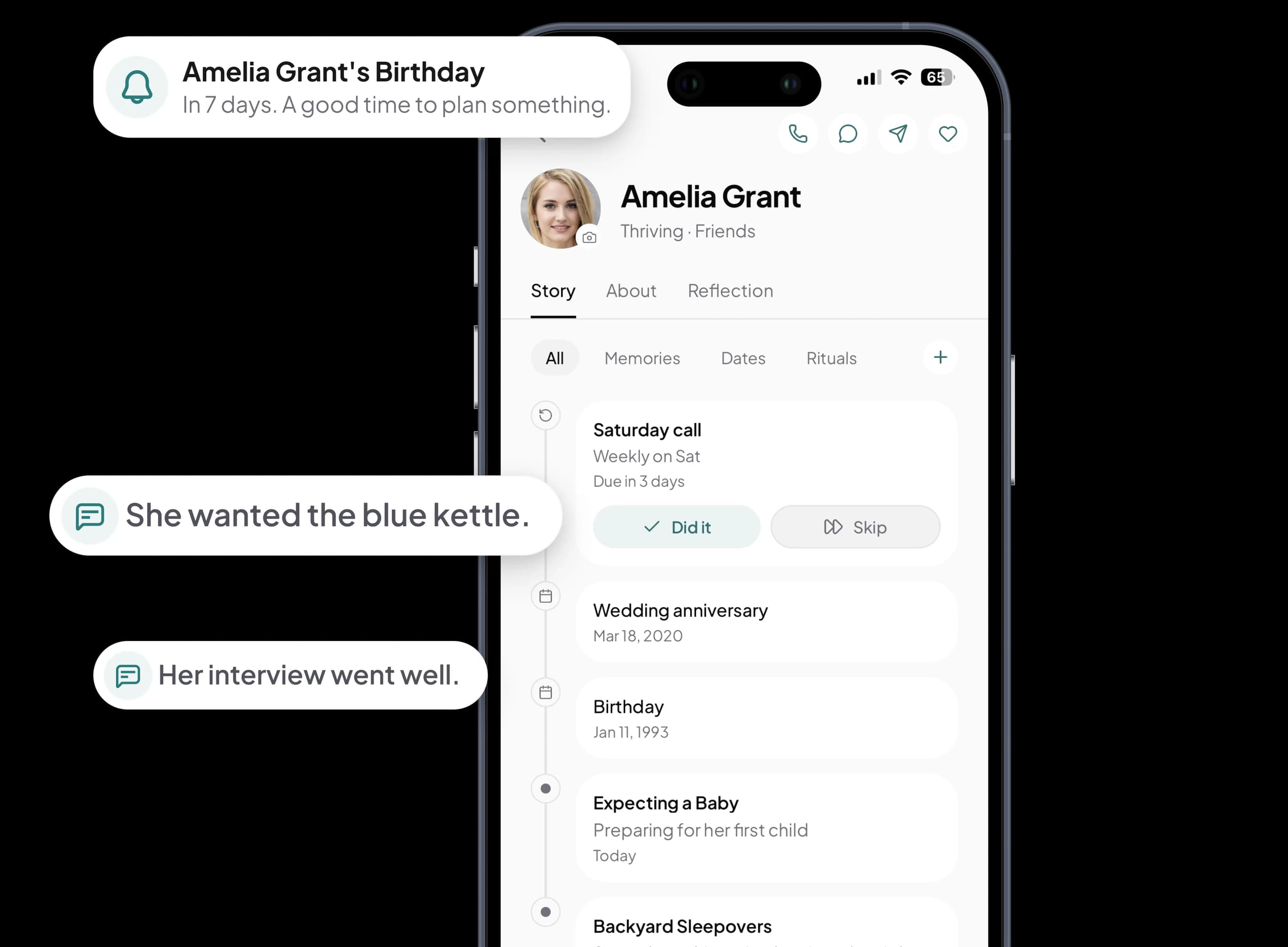
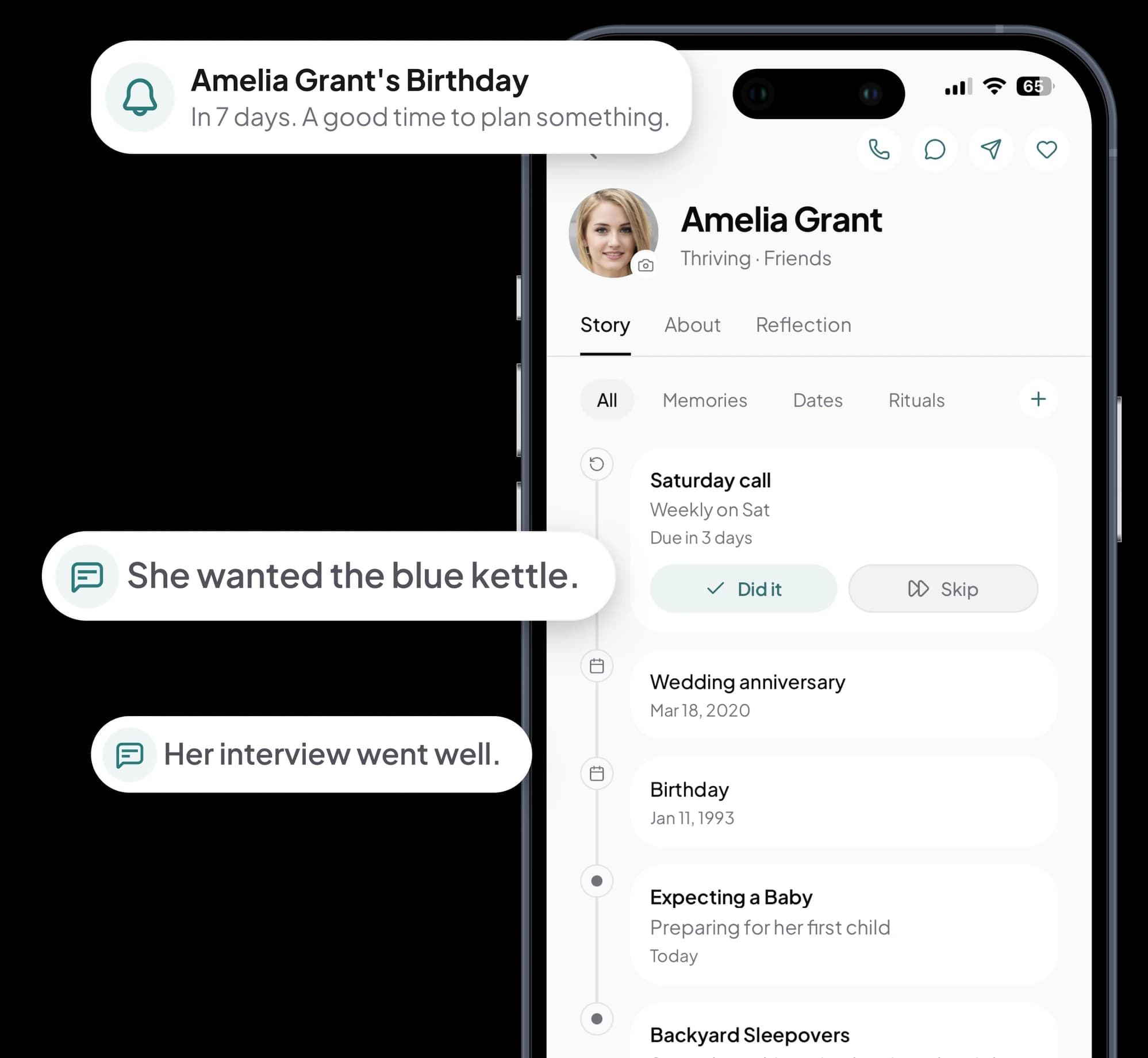
Kinu reminds you up to a month ahead, then opens on the page you keep about them, so a note you wrote in March is right there.
Start on your phone. The reminders come from there.
Free for your first 10 people.
- The year
- optional
- Your contacts
- you tick the ones you want
- Your dates
- on your device first
Add them once.
The date comes back every year.
Kinu is a birthday reminder app that brings birthdays in from your phone's contacts and reminds you anywhere from a day to a month ahead, at the hour you pick. Each reminder opens on that person's page in Kinu, so the message you send sounds like you know them.
Start with a name.
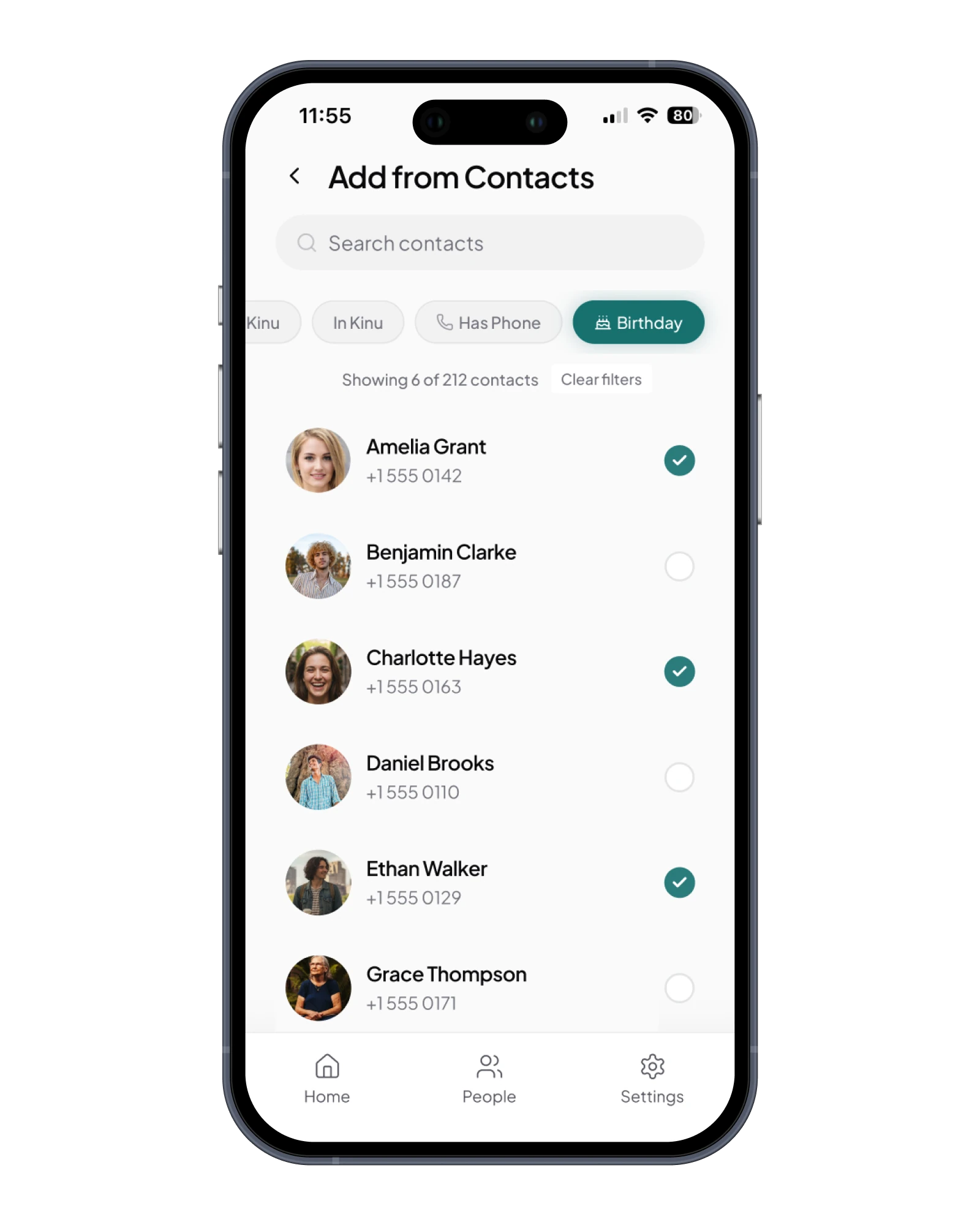
Type a name and a date, or open your contacts and tick the people you want. Their birthdays come across with them, and anything you wrote yourself stays as you wrote it.
Allow notifications once.
Kinu takes it from there. Each reminder arrives as far ahead as you chose for that date, and outside your quiet hours. One setup, then years of it.
Open the reminder.
It opens on their page. Whatever you've written about them is right there, while there's still time to use it.
Tell me ahead
 Kinu
KinuAmelia Grant's Birthday
In 7 days. A good time to plan something.
KinuAmelia Grant's Birthday
Today is a special day.
The reminder is the easy part.
The rest is knowing what to say.
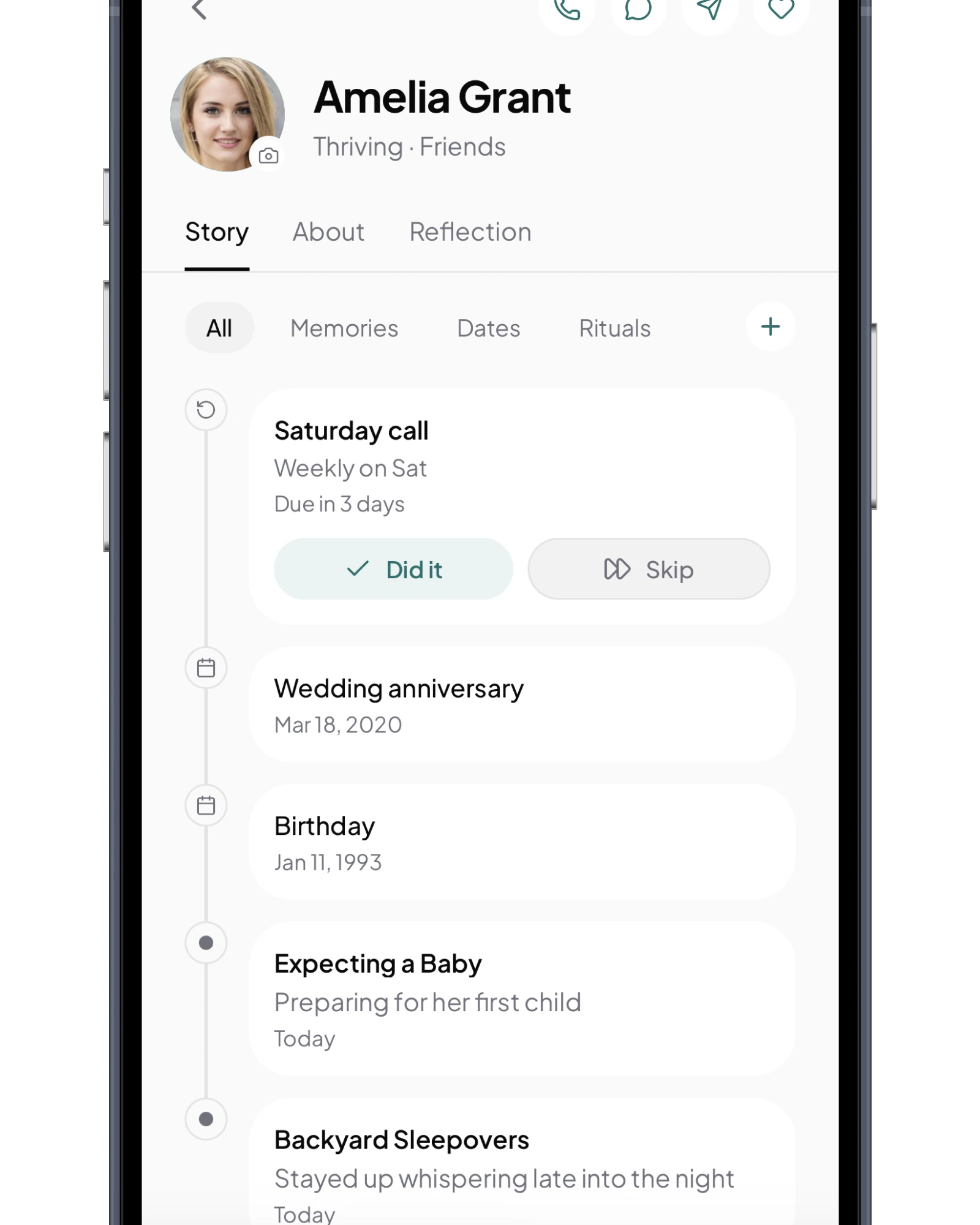
Every birthday in Kinu is filed under the person it belongs to, so when the reminder comes, the things worth mentioning are already written down.
The thing she kept talking about.
Three months ago you wrote down the blue kettle, and it's still sitting under her name the week her birthday comes round.
The last thing you talked about.
Her interview went better than she expected, two weeks back, so that's the question you open with instead of the weather.
The birthday before the baby.
Her first child is due before her next birthday, so this one is the last with the house still quiet, and your message can say so.
Happy birthday, Amelia. Love you
Check your doorstep. Yes, it's the blue one. The baby's about to keep you up later than the backyard sleepovers ever did, so the tea might as well be good.
Ten people free.
Everything you write stays yours.
Kinu is free for your first 10 people, on your phone or in a browser. Kinu Plus is $69.99 a year or $6.99 a month for unlimited people and encrypted sync.
It isn't a trial, so there's no clock running.
Private by default, encrypted if you sync.
Six ways to get a birthday reminder.
One of them is ours.
This table compares Kinu with five other apps for birthdays, from Google Calendar to apps built for nothing else, on when each one reminds you and how far ahead you can choose.
Birthday Calendar and Reminder
- When it reminds you
- “Set the days before the birthday you want to be reminded of”
- How far ahead you choose
- Yes
- Where it runs
- iPhone, Android, Mac, Windows
birthdays.app
- When it reminds you
- Day of, on Basic. Early reminders on Premium
- How far ahead you choose
- Only on the paid tier
- Where it runs
- Text message, web
Cake
- When it reminds you
- “Set alerts for 3 days before, 1 week out, and/or day-of”
- How far ahead you choose
- Yes
- Where it runs
- iPhone
Google Calendar
- When it reminds you
- Whatever you set
- How far ahead you choose
- Yes
- Where it runs
- Everywhere
hip
- When it reminds you
- “control everything down to the day, time, and frequency”
- How far ahead you choose
- Yes
- Where it runs
- iPhone
Kinu
- When it reminds you
- At the hour you set, outside your quiet hours.
- How far ahead you choose
- 1 day, 3 days, 1 week, 2 weeks or 1 month ahead, then again on the day.
- Where it runs
- iPhone, Android and any browser. Reminders come from the phone.
Checked 12 September 2026 against each app's own page.
The table stops at the reminder. Kinu keeps going: tap it and Amelia's page opens, with the blue kettle and the interview waiting where you wrote them.
Google Calendar is free, runs everywhere, and you probably use it already. If the date is enough, stay with it. If you want to open the reminder knowing what to say, use Kinu.
Bring your birthdays with you.
Start from your contacts.
Years of birthdays are probably already in your phone. Kinu imports them from your contacts: choose the people you want, and each one arrives with their birthday, year included when the contact has one.
If your birthdays live in your contacts, there's nothing to export and nothing to type twice. Start with the ten you'd drop anything for.
What you'd want to know first.
Answered before you download.
If something you want to know isn't covered here, write to us and we'll reply.
Contact usNobody forgets a birthday on purpose.
Remembering just needs to be simpler.
It's a great app to remember important events in your friend's lives - birthdays (their children's birthdays), anniversaries... Simple to use.
Reply from Kinu
Thank you, this made my day. Kids' birthdays are the ones that always slip, so I'm really glad Kinu helps with those. A calmer home screen is coming in the next update.
Artistb11
App Store review · 6 August 2026
Getting the next birthday right
Forgot Someone's Birthday? What to Do Now
The exact message to send (by how late you are), what makes it worse, and how to make sure this particular miss never gets a sequel.
Beyond Birthdays: Dates That Matter to Your People
Loss anniversaries, first days, sobriety milestones, the day they moved. Why unexpected dates land harder than birthdays, and how to keep them.
How to Remember Birthdays Without Facebook
Left Facebook and started missing birthdays? How to collect the dates you lost, where to keep them now, and a reminder setup that works for years.
